
Beta 4 Release
Land of Assets Beta 4 — New Design, Robust Task System, and Webhook Support
Beta 4 ships a cleaner, more compact design, a reliable task system with per-task SSE event streams, redesigned media conversion routes, and full webhook support across 24 event types.
Ben Houston • 7 min read • April 6, 2026
Beta 3 delivered automatic format conversion: upload Blender, download USDZ, and every combination in between. Beta 4 adds a cleaner interface, a reliable task pipeline, and webhooks with per-task event streams for automation.
New Design Aesthetic
We've redesigned every page — homepage, dashboard, asset listing, and asset detail — around a more compact, information-dense layout. Less chrome, more content.
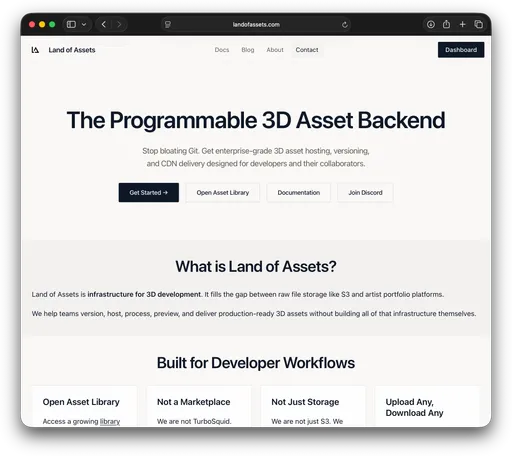
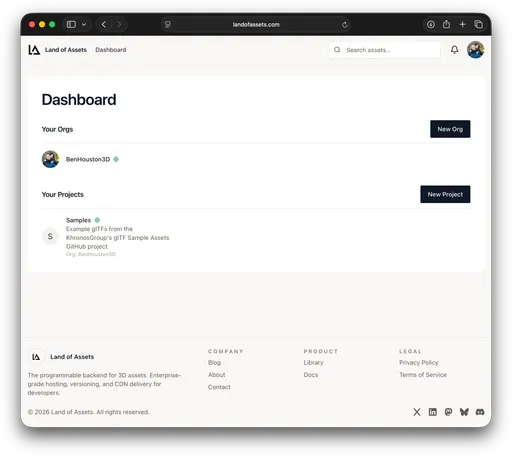
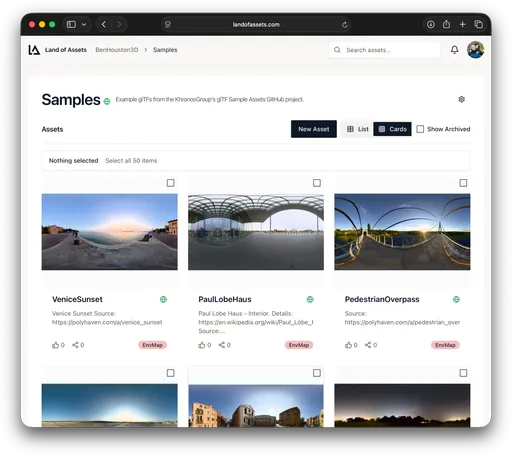
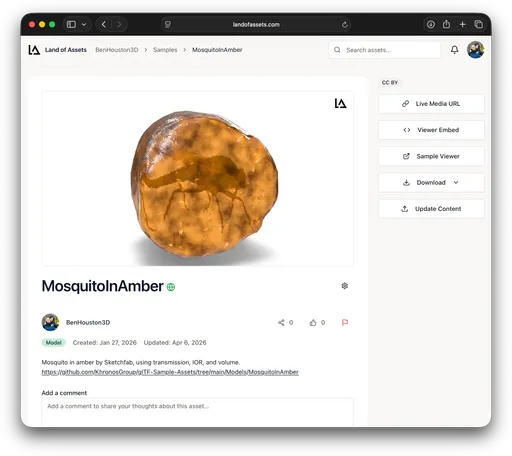
The new design scales better across screen sizes and makes it easier to scan large product libraries at a glance, which matters when you're managing hundreds of assets across multiple projects.
Reliable Task Pipeline
Format conversions, thumbnail generation, and other background jobs now run through an upgraded task pipeline that handles arbitrary load without backpressure failures. Rather than polling for results, you can subscribe to a per-task Server-Sent Events stream and receive lifecycle updates in real time.
Each task goes through the following event sequence:
task.queued— task accepted and waiting for a workertask.running— worker has picked it uptask.success— finished with resultstask.failure— finished with an error
SDK Example — Submit a USDZ Conversion and Wait for Completion
The SDK exposes startMediaTask to enqueue a conversion job and waitForTaskCompletion to block until the task succeeds or fails:
import { writeFile } from 'node:fs/promises';
import { createSecretTokenInstance, startMediaTask, waitForTaskCompletion, getMedia } from '@landofassets/sdk';

const client = createSecretTokenInstance({
  host: 'https://api.landofassets.com',
  secretToken: process.env.LOA_SECRET_TOKEN!,
});

const params = {
  orgName: 'my-org',
  projectName: 'my-project',
  assetName: 'chair',
};

// 1. POST to the media route — returns immediately with a task reference
const task = await startMediaTask(client, { params, format: 'usdz' });
// task = { status: 'QUEUED', taskId: 1234, eventsUrl: '...' }

// 2. Subscribe to the event stream and wait for completion
await waitForTaskCompletion(client, {
  params: { ...params, taskId: task.taskId! },
  timeoutMs: 120_000,
});

// 3. Download the finished USDZ
const { data } = await getMedia(client, { params, format: 'usdz' });
await writeFile('chair.usdz', Buffer.from(data as ArrayBuffer));
If you need finer-grained control — for example to show progress in a UI or trigger downstream pipeline steps — you can subscribe directly with subscribeToTaskEvents:
import { subscribeToTaskEvents } from '@landofassets/sdk';

const sub = subscribeToTaskEvents(client, {
  params: { orgName: 'my-org', projectName: 'my-project', taskId: task.taskId! },
  query: { sinceSequence: 0 }, // replay any missed events on reconnect
});

sub.addEventListener('task.running', (data) => {
  console.log('Worker started:', data.run.workerName);
});

sub.addEventListener('task.success', (data) => {
  console.log('Conversion complete in', data.run.duration, 's');
  sub.close();
});

sub.addEventListener('task.failure', (data) => {
  console.error('Conversion failed:', data.run.errors);
  sub.close();
});
The stream reconnects automatically with exponential back-off and replays missed events via sinceSequence, so transient network interruptions don't leave your client in an unknown state.
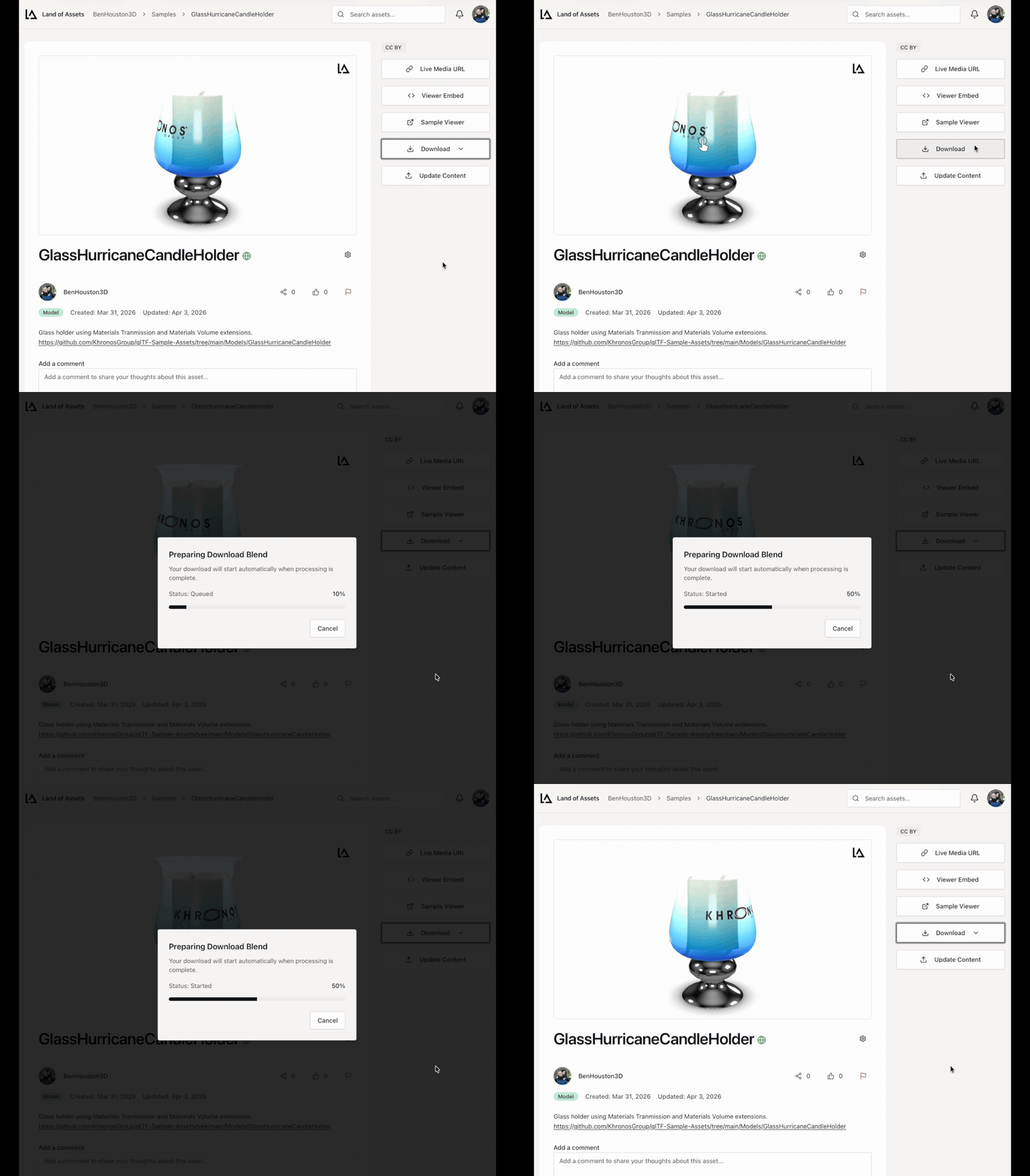
Asset Page — Download Conversions
You can trigger and track format conversions directly from the asset page. The download panel shows live task progress and lets you download the result as soon as it's ready.
Updated Media Conversion Routes
The media conversion routes have been redesigned. The new routes follow a consistent pattern:
POST /media/:orgName/:projectName/:assetName/model/usdz
POST /media/:orgName/:projectName/:assetName/model/glb
POST /media/:orgName/:projectName/:assetName/model/blend
Every POST returns 202 Accepted with a task reference payload:
{
  "status": "QUEUED",
  "taskId": 1234,
  "taskUrl": "https://api.landofassets.com/tasks/my-org/my-project/1234",
  "eventsUrl": "https://api.landofassets.com/tasks/my-org/my-project/1234/events"
}
We recommend updating both the CLI and SDK to use these routes. Backward compatibility is not guaranteed during the beta period.
Webhook Support
You can now register webhooks to receive real-time HTTP notifications for any event on the platform. Connect Land of Assets to your commerce platform, DAM, or CI/CD pipeline and react to asset changes in real time.
Webhooks are delivered at org or project scope, signed with HMAC-SHA256 for verification, and support replay-safe delivery IDs so you can deduplicate on your end.
The full set of supported event types:
| Namespace | Events |
|---|---|
| asset | asset.created, asset.deleted, asset.liked, asset.moderated, asset.updated |
| comment | comment.liked, comment.moderated, comment.new, comment.updated |
| external-auth | external-auth.approved |
| member | member.added, member.removed |
| notification | notification.new |
| org | org.created, org.deleted, org.invite, org.updated |
| product | product.created, product.deleted, product.updated |
| project | project.created, project.deleted, project.invite, project.updated |
Registering a Webhook with the CLI
loa webhooks create https://myapp.example.com/webhooks/loa \
  --org my-org \
  --events "asset.created,asset.updated,asset.deleted" \
  --description "Sync assets to my pipeline"
Leave out --events to subscribe to all events. The server returns the HMAC signing secret on creation — save it securely, it won't be shown again.
To scope a webhook to a single project rather than the whole org, add --project my-project.
Example Webhook Handler
import express from 'express';
import crypto from 'node:crypto';
import type { WebhookPayload } from '@landofassets/sdk';

const app = express();
app.use(express.raw({ type: 'application/json' }));

app.post('/webhooks/loa', (req, res) => {
  const secret = process.env.LOA_WEBHOOK_SECRET!;
  const signature = req.headers['x-loa-signature'] as string;
  const expected = crypto.createHmac('sha256', secret).update(req.body).digest('hex');

  if (!crypto.timingSafeEqual(Buffer.from(signature), Buffer.from(expected))) {
    return res.status(401).send('Invalid signature');
  }

  const payload = JSON.parse(req.body.toString()) as WebhookPayload;

  // Deduplicate using the delivery ID
  console.log('Received event', payload.type, 'delivery', payload.id);

  switch (payload.type) {
    case 'asset.created':
    case 'asset.updated': {
      const { asset } = payload.data as { asset: { name: string } };
      console.log('Asset changed:', asset.name);
      break;
    }
    case 'asset.deleted': {
      const { assetId } = payload.data as { assetId: number };
      console.log('Asset deleted:', assetId);
      break;
    }
  }

  res.status(200).send('ok');
});

app.listen(3000);
Open Source Libraries
Two libraries written while building Beta 4 have been published as open source:
- vitest-command-line — run and assert against CLI command output inside Vitest test suites. Used internally to test the
loaCLI end-to-end. - tanstack-router-ga4 — drop-in Google Analytics 4 integration for TanStack Router. Tracks page views automatically on each route navigation.
Both packages are MIT licensed and available on npm.
Get in Touch
We're building this for enterprise teams managing 3D content and want to hear from you. Feature ideas, integration questions, or feedback: bring them to Discord or book a demo.